
There’s nothing sweeter to enter the New Year than to receive a New Year greeting from your loved ones. And to make it more special, it’s a good idea to create video greetings instead. But making a video greeting is quite tricky, right? Yes, well that’s was before, now there are various programs that you use to help you create your own video greetings for New Year’s Day. So if you’re interested in making one, then make sure to read through the rest of this post.
Best Way to Make New Year Video
When New Year’s day is about to come and you need a video greeting, then the finest way to make a New Year video greeting using this program called BeeCut. This is a video editing program that is capable of creating new videos from raw footage and pictures. It is also equipped with a basic and advanced video editing function that is perfect for making New Year’s greeting video. What’s interesting about this tool is that it has a simple yet productive interface that fits all types of users. It also supports various video file formats making it a flexible program as well.

Features:
- Simple interface
- Editing functions like zoom, cut, crop, magnify, etc.
- Pre-made filters and animations
- Support’s Chroma key functions
- Has speech to text function
- Built-in screen recorder
Creating a New Year’s Day video using BeeCut
To make a greeting video for New Year here are the steps that you need to follow.
Step 1. Open the app and upload a media file
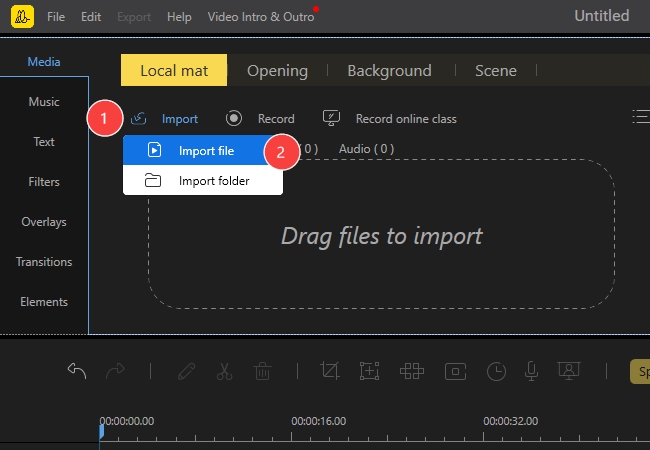
Launch the video editor and under the “Media” panel click “Import”. “Import file”. Look for the video file that you’re going to use and open it.
Step 2. Begin the editing
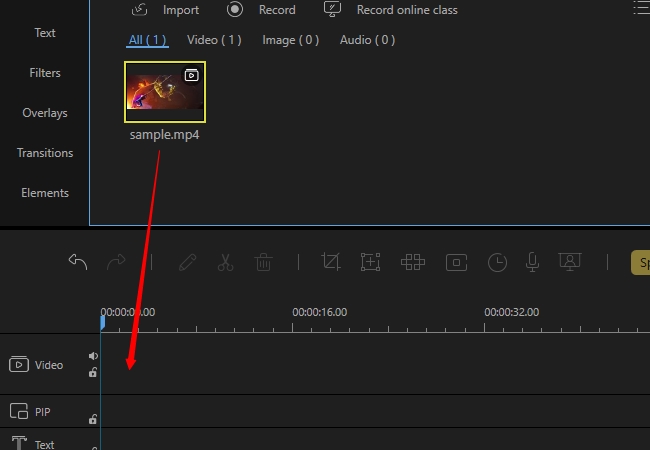
To start creating your New Year Video, you must move the video file into the timeline to proceed with the editing.
Step 3. Modify the video further by adding effects and animations
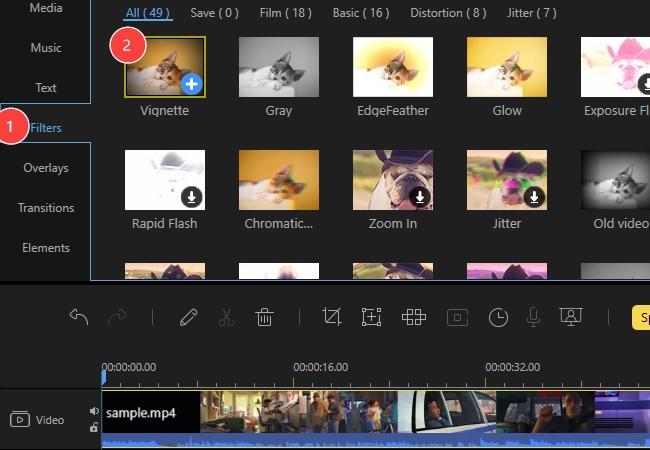
To enhance the look of your video, you can add captions, filters, transitions, overlays, and effects which can be found on the left part of the app.
Step 4. If you prefer, you can also add a green screen effect, by hitting the Chroma cut-out function that is located at the timeline.
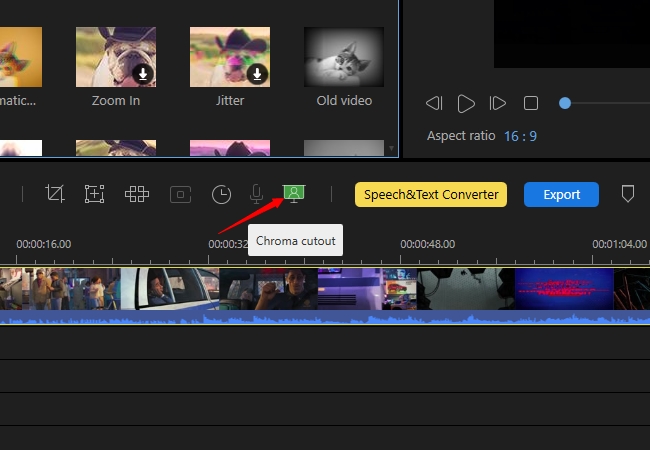
Step 5. Save the changes made
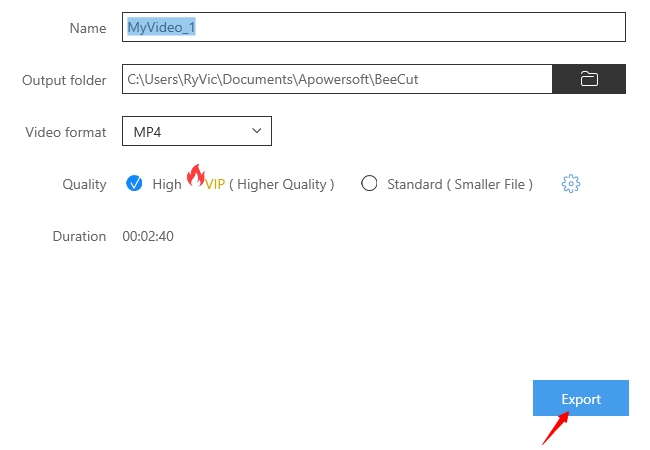
To render the video project, simply click the “Export” button, type the title for the video along with the video quality and format. And finally, hit “Export” once more to start the rendering process.
Recommended Tools for Online and Mac
- iMovie
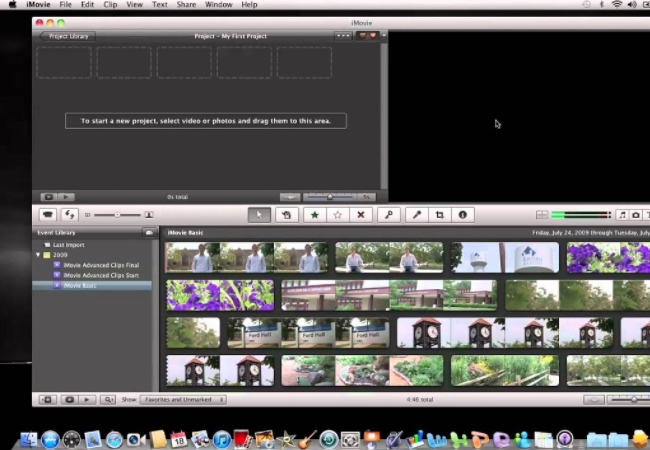
This default movie maker is the most accessible and convenient tool to make New Year video greetings for all Mac OS users. Since iMovie is pre-installed, all you need to do is launch the program and you can create your greeting video right away. This program has a neat and easy to use GUI that suits all kinds of users. While it’s editing function is a combination of primary and advanced video editing as well. No additional skill is needed in using this tool, for you can create a video by doing a drag and drop method.
Pros:
- Pre-installed, no additional installation needed
- Numerous effects and transitions provided
- Simple interface
- Supports Chroma key function
Cons:
- Only works on Mac OS
- Functions are limited with just video editing
2. PowToon
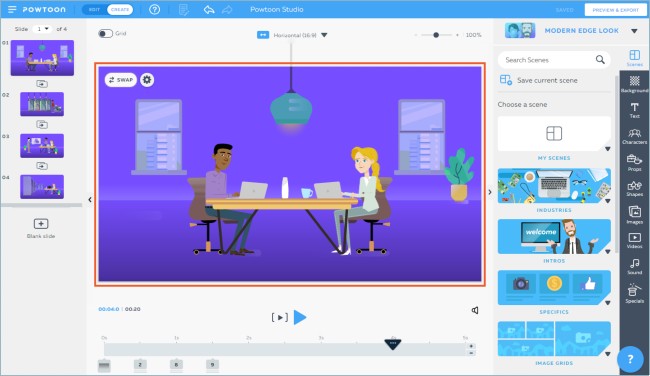
For those who prefer web-based applications then you can create your own New Year’s Day video greeting using PowToon. This video maker provides users with pre-made sets of animations and themes that can be used easily with just a few clicks. In making a video, you can use both video footage and images which you can then modify by adding animated characters, objects, transitions, etc. So if you prefer a cartoonist type of video, then better try this tool.
Pros:
- No software installation needed
- Pre-made character animation and effects
- Easy to use
- Numerous pre-made themes to choose from
Cons:
- Requires internet connection
- Requires a subscription to unlock other features
Create New Year Video on Mobile
- KineMaster
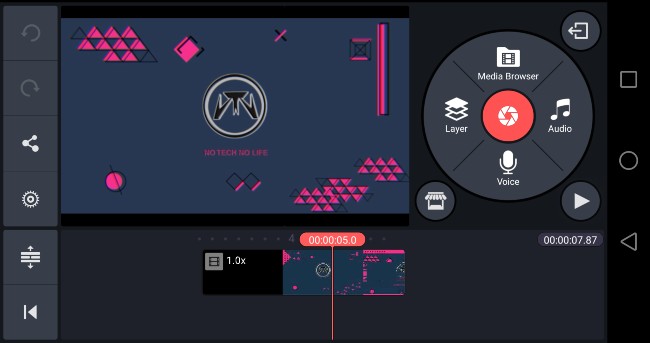
Since many individuals are now using mobile devices, then here’s a mobile video editor that can help you make New Year Video right from your mobile device. KineMaster is a video editing application that offers functions just like a desktop video editor that was modified to fit in a smartphone. The usual functions like cutting, cropping, and magnifying are offered in this tool. With the addition of functions like color adjustment tool, support multiple layer editing, speed control, time-lapse, and many more.
Pros:
- Handy and can be used anywhere
- Supports multiple-layer editing
- It offers speed control and keyframe animation
Cons:
- Smaller screen
- Editing can be troublesome for others especially those with big fingers
- A Premium subscription is needed to unlock other features
2. Adobe Rush
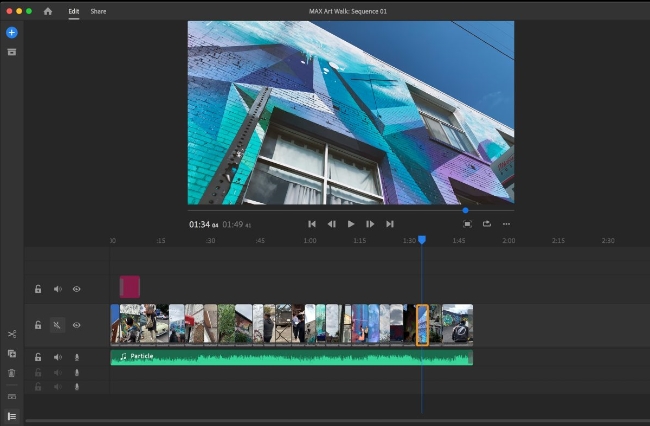
Another application that you can utilize to make a New Year greetings video is Adobe Rush. This is a light mobile version of Adobe’s desktop video editing program. Although not all of the features of the computer version are presented in this mobile version, the basic and most useful ones can be found on Rush. Some of the features that you can expect from this app include animated titles, speed control and color enhancement, multitrack editing, and a share function. So by using this app you can shoot, edit, and then share your video in just one mobile tool.
Pros:
- Offers multitrack editing
- Professional camera function to capture HQ content
- Provides advanced editing function aside from the basic ones
Cons:
- Editing space is limited
- Audio can be distorted at times
- It crashes on some mobile devices
Conclusion
It’s always nice to greet someone with a Happy New Year whenever a New Year has to come. Thanks to the programs above, anyone can now make their own New Year’s Day easily. On the other hand, if you need to make your video more special, then it’s recommended to use BeeCut, for it can help you modify your videos further by adding filters, transitions, effects, and many more. Feel free to try it now by hitting this button.

Leave a Comment